Data Cleaning
Introduction
The Data Cleaning tool processes the input data using several methods.
1. Select the input data

- Input Data: Spatial data or attribute data.
2. Select the cleaning methods
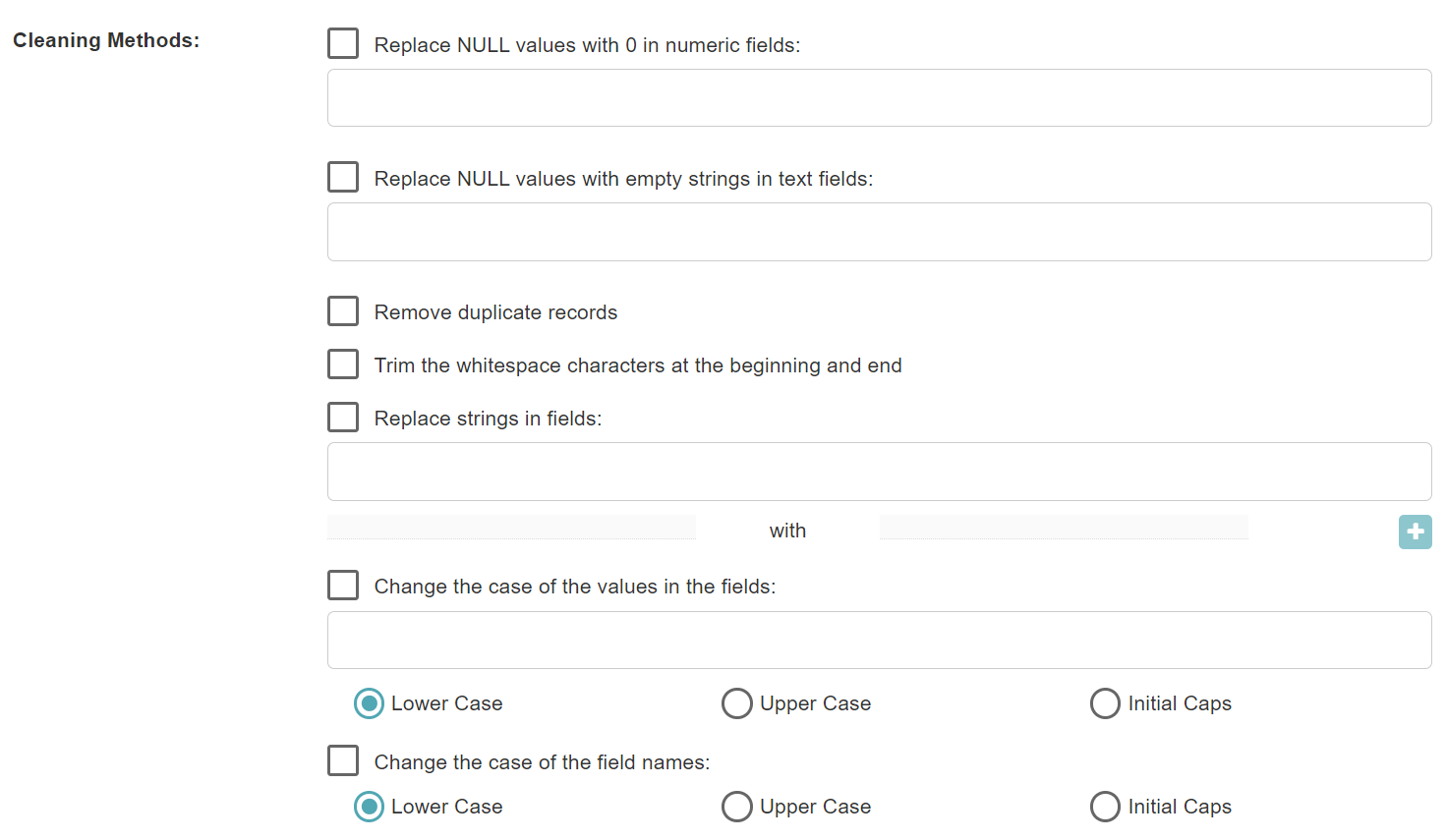
- Replace NULL values with 0 in numeric fields: NULL values in the numeric fields will be replaced with 0.
- Replace NULL values with empty strings in text fields: NULL values in the text fields will be replaced with empty strings.
- Remove duplicate records: Duplicate records will be removed.
- Trim the whitespace characters at the beginning and end: The whitespace characters at the beginning and end of the text fields will be trimmed.
- Replace strings in fields: The strings in the selected text fields will be replaced with the specified strings.
- Change the case of the values in the fields: The case of the values in the selected text fields will be changed to Lower Case, Upper Case, or Initial Caps.
- Change the case of the field names: The case of the field names will be changed to Lower Case, Upper Case, or Initial Caps.
3. Set the output data

- Output Type: The input data can be updated, or new data can be created.
- Output Data Name: If no name is set, the default is "toolName_time".
4. Submit
After completing the above settings, click Submit to start the tool.
When it finishes successfully, a message will be shown at the top of the page. You can click the Open Data button to start accessing the data or go to the Data page to view it.