Filtering
Introduction
Filtering can extract the desired units from the data based on the attributes.
1. Select the input data

- Input Data: Spatial data or attribute data.
2. Input the expression
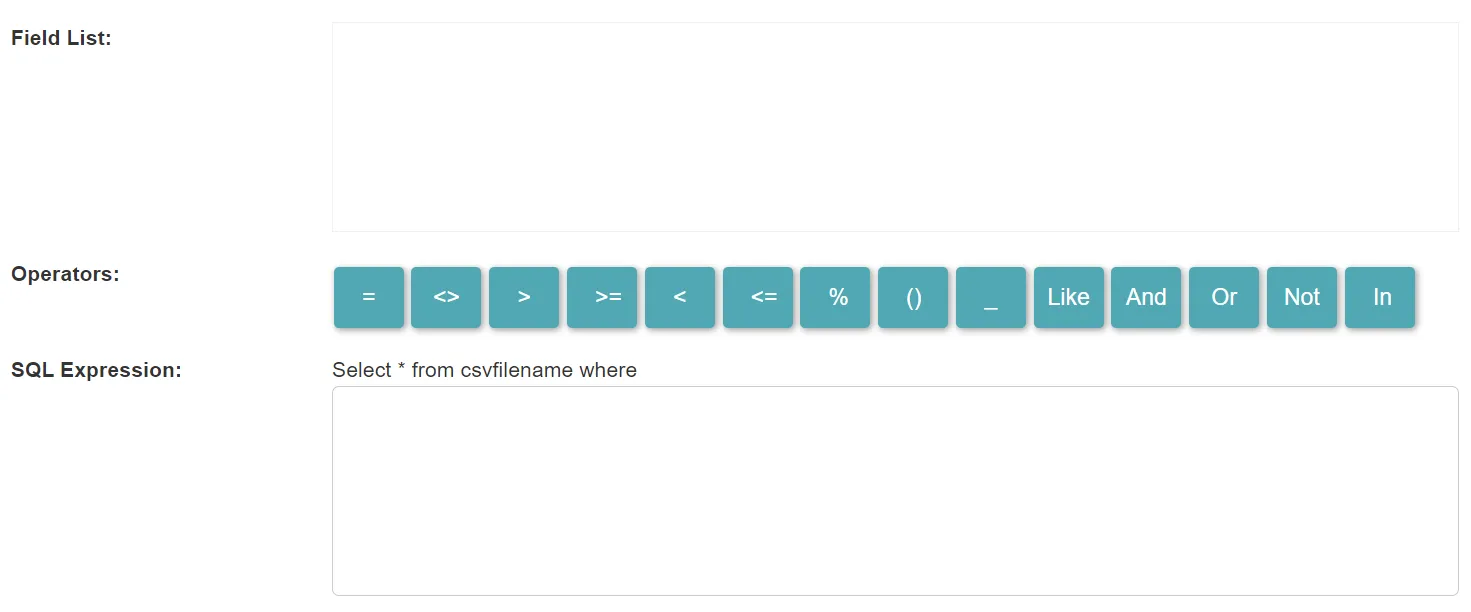
- Field List: It lists all the fields of the data. You can click on a field to add it to the expression input area. You can also enter the field name directly in the input area manually.
- Operators: The list of available operators. You can click on an operator to add it to the expression input area. You can also enter it manually directly in the input area.
- Expression: The SQL expression used to select the units of the data.
3. Set the output data

- Output Data Type: It can be spatial data or attribute data.
- Output Data Name: If no name is set, the default is “toolName_time”.
4. Submit
After completing the above settings, click Submit to start the tool.
When it finishes successfully, a message will be shown at the top of the page. You can click the Open Data button to start accessing the data or go to the Data page to view it.