Transpose Fields
Introduction
The Transpose Fields tool coverts the values in selected fields of the input data into the rows of a new dataset.
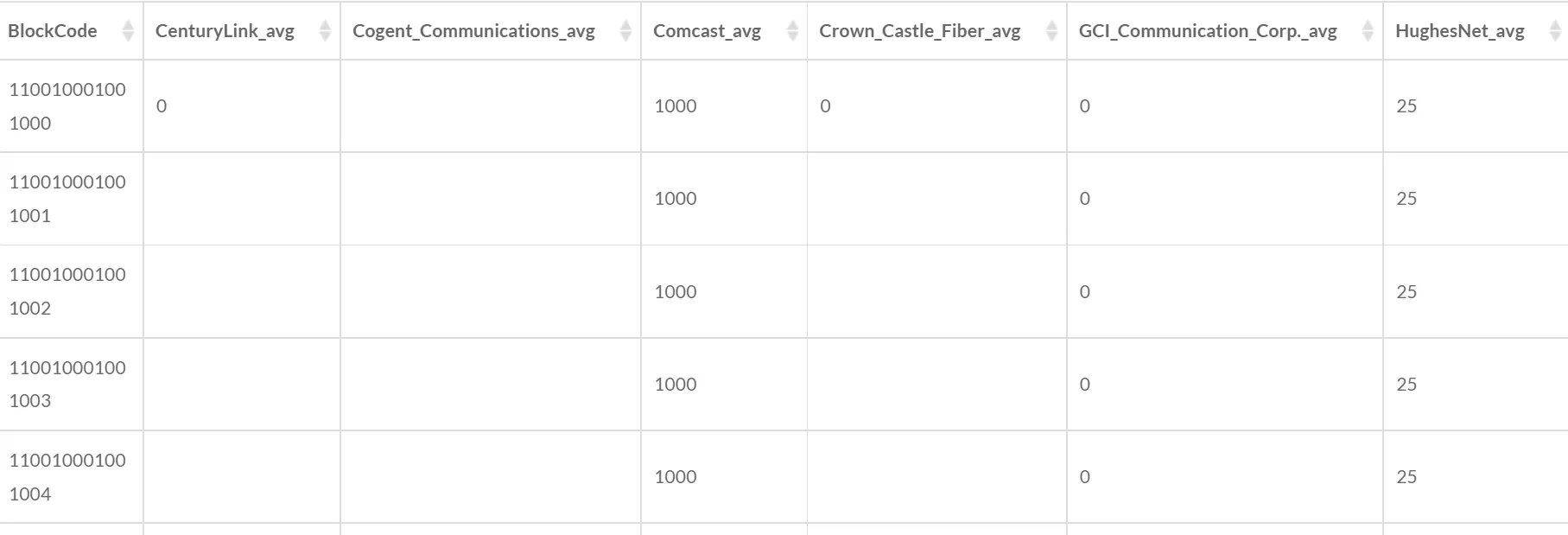
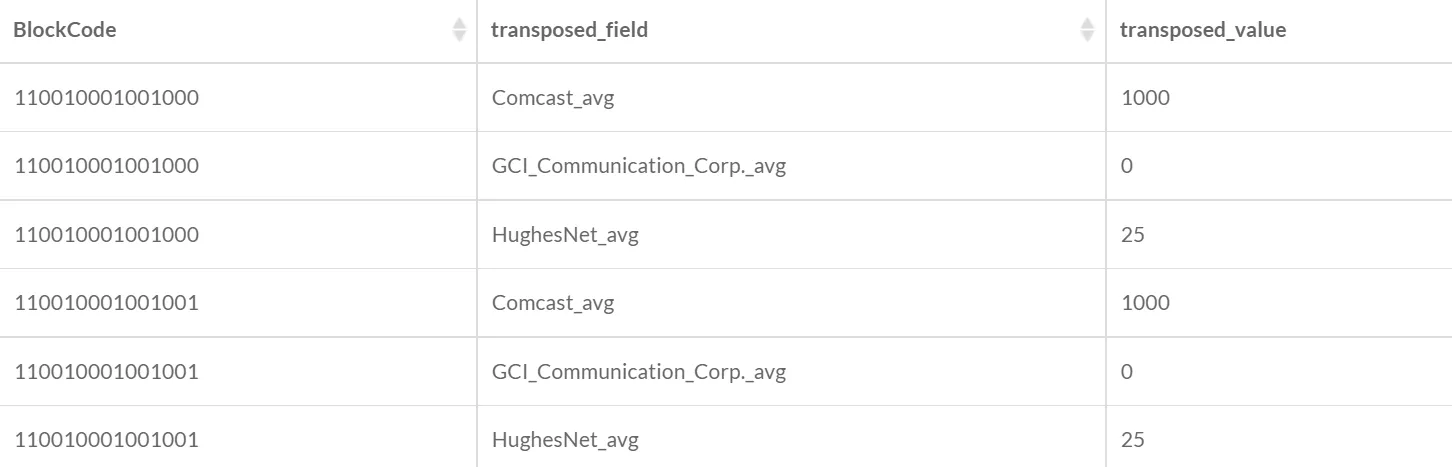
For example, the input data above are the average downstream speeds of different broadband providers for the blocks in an area. Comcast_avg, GCI_Communication_Corp._avg, and HughesNet_avg are selected as the fields to tranpose. The output data could be as follows:
1. Select the input data

- Input Data: Attribute data only.
2. Select the transpose fields

- Fields to Transpose: The names of the selected fields will be in one field of the new dataset, and the values of the selected fields will be in another field of the new dataset.
3. Set the output data

- Output Data Name: If no name is set, the default is “toolName_time”.
4. Submit
After completing the above settings, click Submit to start the tool.
When it finishes successfully, a message will be shown at the top of the page. You can click the Open Data button to start accessing the data or go to the Data page to view it.